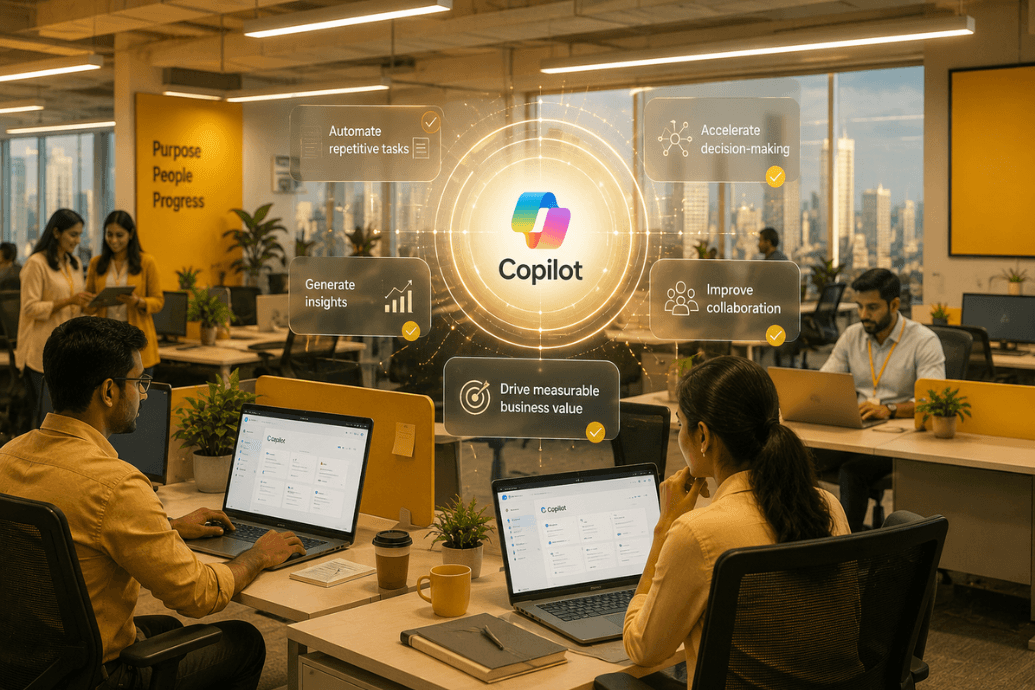
In this article, we explore how Microsoft Copilot improves productivity, what makes it different from other workplace AI tools, and why more businesses are using it to support measurable productivity transformation.
Microsoft Copilot improves workplace productivity by reducing repetitive work, cutting search time, speeding up decision-making, and helping employees focus on higher-value tasks. For organisations looking to boost efficiency without adding more tools or complexity, Microsoft Copilot offers a practical way to improve how work gets done across teams.
Unlike many AI productivity tools for work, Copilot is embedded within Microsoft 365 applications such as Word, Excel, Outlook, Teams, and PowerPoint. That means employees can write, summarise, analyse, collaborate, and act on information inside the tools they already use every day.
From summarising meetings and drafting emails to analysing data and surfacing insights, Microsoft Copilot use cases span the full range of workplace productivity needs. The biggest Microsoft Copilot productivity benefits are not just faster task completion, but better decisions, less friction, and more time for strategic work.
Key Takeaways
- Microsoft Copilot helps teams reduce time spent on repetitive, low-value work.
- It improves productivity by making information easier to find, meetings easier to act on, and analysis faster to complete.
- Organisations that treat Copilot as a business transformation tool, not just a writing assistant, are more likely to see measurable value.
Why Does Productivity Need a New Definition?
For years, productivity was measured by output: how many emails were answered, how many reports were produced, and how many tasks were completed. That model no longer reflects how knowledge work really happens.
Today, the bigger problem is not a lack of effort. It is fragmentation.
Employees regularly switch between multiple applications, collaborate across departments, attend virtual meetings, and process vast amounts of information. The challenge nowadays is no longer a lack of right tools. The challenge is making sense of everything happening around us.
Research from Microsoft's Work Trend Index found that 70% of Copilot users said they were more productive, 68% said it improved the quality of their work, and users were 29% faster across common tasks such as searching, writing, and summarising.
These findings show that productivity is no longer just about completing more tasks. It is about helping teams solve problems faster, make better decisions, and deliver stronger business results.
What Makes Microsoft Copilot Different from Other Productivity Tools?
Many productivity tools help people work faster. Microsoft Copilot helps people think, decide, and act with more context.
Integrated across Microsoft 365 applications such as Word, Excel, PowerPoint, Outlook, Teams, Dynamics 365, and Power Platform, Copilot acts as an intelligent assistant embedded within existing workflows. Employees do not need to learn an entirely new system. Instead, they can leverage AI directly inside the tools they already use every day.
What makes Copilot different is its ability to use business context across the Microsoft ecosystem.
Copilot can analyse documents, summarise conversations, generate content, answer questions, identify trends, and provide recommendations based on business data. This allows employees to spend less time managing information and more time acting on it.
Here are five practical ways Microsoft Copilot improves workplace productivity across everyday business tasks.
How Does Microsoft Copilot Improve Workplace Productivity?
Copilot Reduces Information Overload and Search Time
One of the biggest productivity challenges facing modern organisations is information overload.
Business-critical information exists across emails, documents, CRM systems, chat platforms, spreadsheets, and project management tools. Finding the right information often takes longer than using it.
According to McKinsey, knowledge workers can spend nearly 20% of the workweek searching for internal information or tracking down colleagues for answers. That is a major productivity drain before meaningful work even begins.
Microsoft Copilot helps solve this challenge by connecting information across the Microsoft ecosystem and making it accessible through natural language prompts.
Instead of manually searching through multiple systems, employees can simply ask questions and receive contextual answers instantly.
For example, teams can use Copilot to:
- Summarise project updates
- Retrieve information from multiple documents
- Analyse customer interactions
- Surface relevant business insights
- Generate executive summaries
The outcome is not just faster information access. It is faster decision-making and reduced friction throughout the workday.
Copilot Automates Admin Work So Employees Can Focus on Strategic Work
Every organisation has hidden productivity drains.
Activities such as writing emails, preparing reports, documenting meetings, updating records, and creating presentations consume valuable time each week. While these tasks are essential, they often prevent employees from focusing on strategic initiatives.
Microsoft Copilot reduces this burden by automating many of these routine activities.
Imagine a sales manager preparing for an important client meeting. Traditionally, they would review email threads, analyse CRM notes, gather meeting history, and manually prepare discussion points.
With Copilot, much of that work happens automatically.
The AI assistant can summarise previous conversations, identify customer priorities, recommend talking points, and suggest next steps within minutes.
This shift allows employees to spend more time building relationships, solving customer problems, and driving business growth.
Among the most impactful Microsoft Copilot benefits is its ability to transform administrative work into strategic work.
Copilot Turns Meetings into Clear Decisions and Next Steps
Meetings remain a necessary part of business, but they often create additional work rather than reducing it.
Employees frequently spend time taking notes, documenting decisions, assigning action items, and following up after discussions have ended. Important details can be missed, and accountability can become unclear.
Microsoft Copilot addresses this challenge by automatically capturing and organising meeting outcomes.
Teams can instantly generate:
- Meeting summaries
- Action items
- Key decisions
- Follow-up recommendations
- Task assignments
Rather than focusing on notetaking, employees can focus on contributing to the discussion itself.
This is particularly valuable in hybrid and remote work environments where collaboration happens across multiple locations and time zones.
When meetings become more actionable, organisations spend less time coordinating work and more time executing it.
Copilot Speeds Up Data Analysis and Decision-Making
Businesses generate enormous volumes of data every day. Yet many leaders struggle to transform that data into actionable insights quickly enough.
Reports often require manual preparation, analysis can be time-consuming, and critical information is frequently scattered across multiple systems.
Copilot helps bridge the gap between data and action.
Using natural language prompts, employees can analyse complex datasets, uncover trends, generate summaries, and identify opportunities faster than ever before.
Consider the possibilities:
- A finance leader can identify budget variances in seconds.
- A marketing manager can evaluate campaign performance without manually compiling reports.
- A sales director can analyse pipeline trends and forecast revenue opportunities.
- A customer service manager can identify recurring issues affecting customer satisfaction.
A Forrester Total Economic Impact study found that organisations adopting Microsoft 365 Copilot reported gains tied to efficiency, decision support, and broader business transformation rather than isolated task savings alone.
Faster insights lead to faster decisions. Faster decisions create stronger business outcomes.
Copilot Scales Productivity Across Teams, Functions, and Workflows
Many businesses initially view Copilot as an individual productivity tool. It's true value emerges when it becomes part of a broader business transformation strategy.
When combined with intelligent automation, workflow orchestration, and enterprise-wide adoption initiatives, Copilot can drive productivity improvements across entire organisations.
Departments benefiting from Copilot include:
- Sales
- Marketing
- Customer Service
- Human Resources
- Finance
- Operations
This is where AI automation strategies become particularly powerful.
When organisations combine Copilot with Microsoft Power Platform and automation technologies, workflows can be streamlined end-to-end. Customer enquiries can trigger automated actions, approvals can be accelerated, reports can be generated automatically, and repetitive processes can be eliminated.
The result is a connected workplace where employees spend less time managing systems and more time delivering value.
The most successful AI programmes are not technology projects. They are business transformation initiatives.
How Should Organisations Measure Productivity Transformation?
The organisations leading the AI revolution measure productivity differently. Instead of focusing on task completion, they focus on outcomes such as:
- Faster decision-making
- Reduced operational costs
- Improved employee experience
- Better customer satisfaction
- Increased innovation
- Revenue growth
These metrics provide a far more accurate view of business performance in the AI era.
When repetitive work decreases, employees gain more time to focus on creativity, collaboration, problem-solving, and innovation. That is where sustainable competitive advantage is created.
Why the Future of Work Is Outcome-Driven
The future of work is not about completing more tasks. It is about helping teams achieve better results with less friction.
By combining automation, faster access to insights, and better decision support, Microsoft Copilot helps organisations improve productivity in ways that support innovation, efficiency, and growth.
Frequently Asked Questions
What are the benefits of Microsoft Copilot?
- The main benefits of Microsoft Copilot include reduced repetitive work, faster writing and summarisation, quicker access to business information, more efficient meetings, and stronger decision-making across teams.
How does Microsoft Copilot improve productivity at work?
- Microsoft Copilot improves productivity at work by reducing manual effort, cutting time spent searching for information, speeding up analysis, and helping employees focus on higher-value tasks.
Can Microsoft Copilot improve business productivity?
- Yes. Microsoft Copilot can improve business productivity by helping teams automate routine work, accelerate decisions, improve collaboration, and scale efficiency across departments when supported by the right adoption strategy.
Ready to Turn Copilot into Measurable Business Outcomes?
Deploying AI is the easy part. Turning it into measurable business value requires the right use cases, governance, adoption strategy, and implementation expertise.
Many organisations succeed with Copilot at the user level but struggle to turn isolated wins into enterprise-wide productivity gains. At WinCap, we help organisations move beyond experimentation by designing and implementing Microsoft Copilot, AI automation, and intelligent workflow solutions that deliver measurable outcomes. From secure AI adoption and enterprise governance to process automation and workforce enablement, our team helps businesses turn early momentum into lasting business impact.
Whether you're exploring Copilot for the first time or looking to scale AI across your organisation, WinCap combines deep Microsoft expertise, business-first consulting, and proven transformation frameworks to help you accelerate results with confidence.